AI Image Generator
Access the most advanced AI models and create unique images in a few seconds with just a prompt.

Upload Image


Private mode
Creona.com is available as an auto-renewing subscription service.


1 / 13
Epic World of Dune
Style: Filmic
Prompt:
Filmic photorealistic desert scene. A lone warrior stands on windswept dunes, seen from behind, wearing flowing robes torn by a sandstorm. He grips a blade at his side, unmoving and resolute. Behind him, a colossal sandworm erupts vertically from the desert, its ringed body towering skyward in a cyclone of dust. Its vast open mouth lined with jagged fangs dwarfs the warrior. Sand fills the air, dramatic lighting, epic scale, cinematic tension frozen in one moment. High detail, sharp focus, mythic tone.


How it works
Step 1

Enter your prompt
Type a detailed description of what you want to generate in the prompt field.
Step 2

Choose image style
Choose a model, specific style and aspect ratio to match the concept you’re going for.
Step 3

Get instant results
Your ultra-fast AI creations appear instantly with perfect character consistency.
All the photo editing features you need
Canva’s drag-and-drop design tools make it easy to create any design, fast!
Various art styles available
Render your AI-generated images in stunning art styles like Watercolor, Filmic, Neon, Color Pencil, Retrowave, and more.

Magic Edit
Magic Edit lets you add to, replace, or edit your image with a short written prompt.

Enhance your images
Use Canva’s Photo Editor to fix your photo’s focus, lighting, and coloring with easy-to-use sliders.

Photo effects & filters
Choose from our selection of adjustable color filters and fun photo effects to remix your photo.

Add Text to Photo
Easily add text to your photo or image to tell a story. Font combinations, colors, and styles available.

Automatically translate your design
With Translate (Pro), quickly change the language of your existing design, with over 100 languages to choose from.
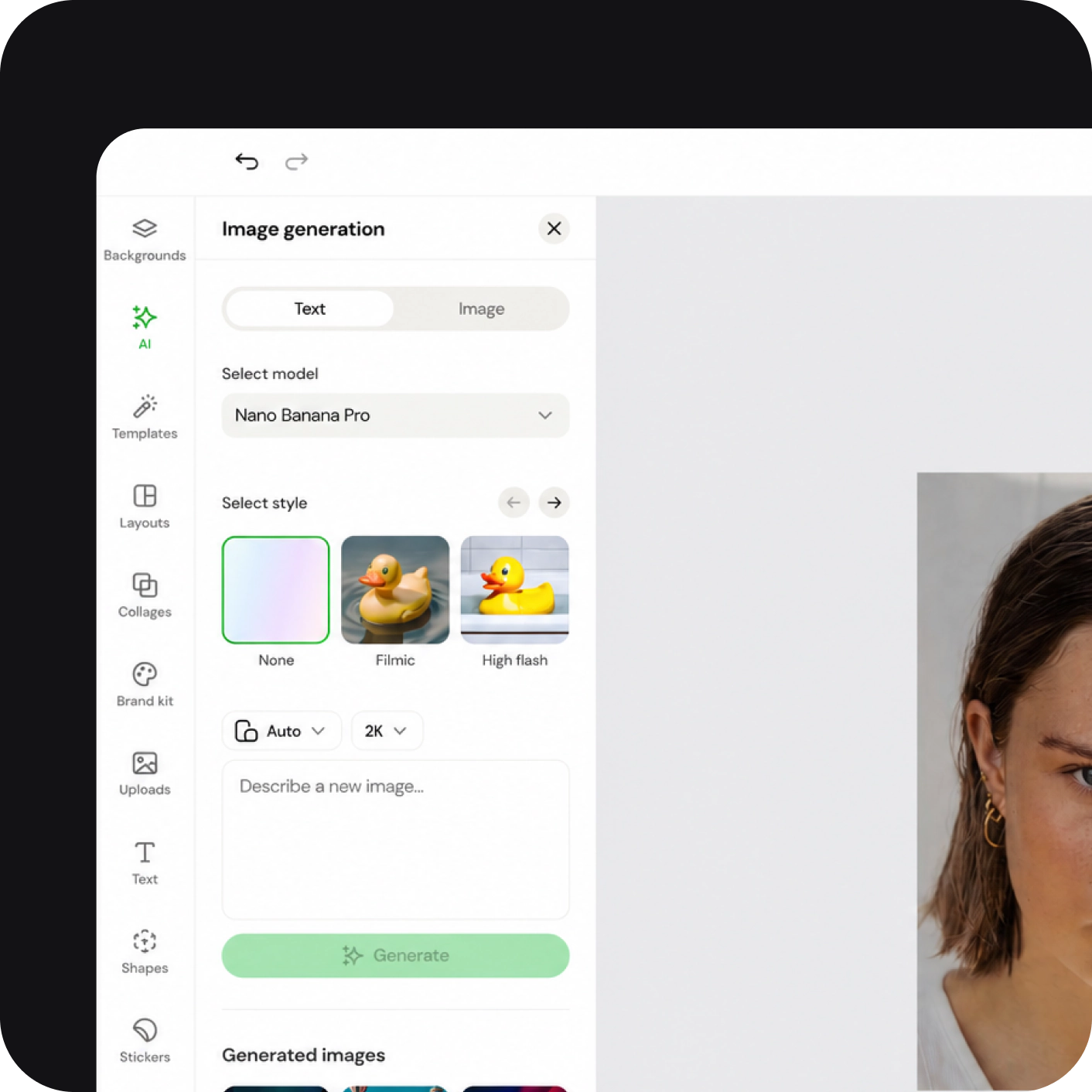
Explore our AI image generator app
Generate stunning AI images inspired by a reference image. Simply upload a style, and see it reimagined using aesthetics, objects, or textures from your favorite visuals.

Choose your image style
with Text to Image
Experimentation is a big part of creation. Test out different modes for your AI-generated images with Magic Media’s Text to Image, using our style options like Watercolor, Filmic, Neon, Color Pencil, and Retrowave.
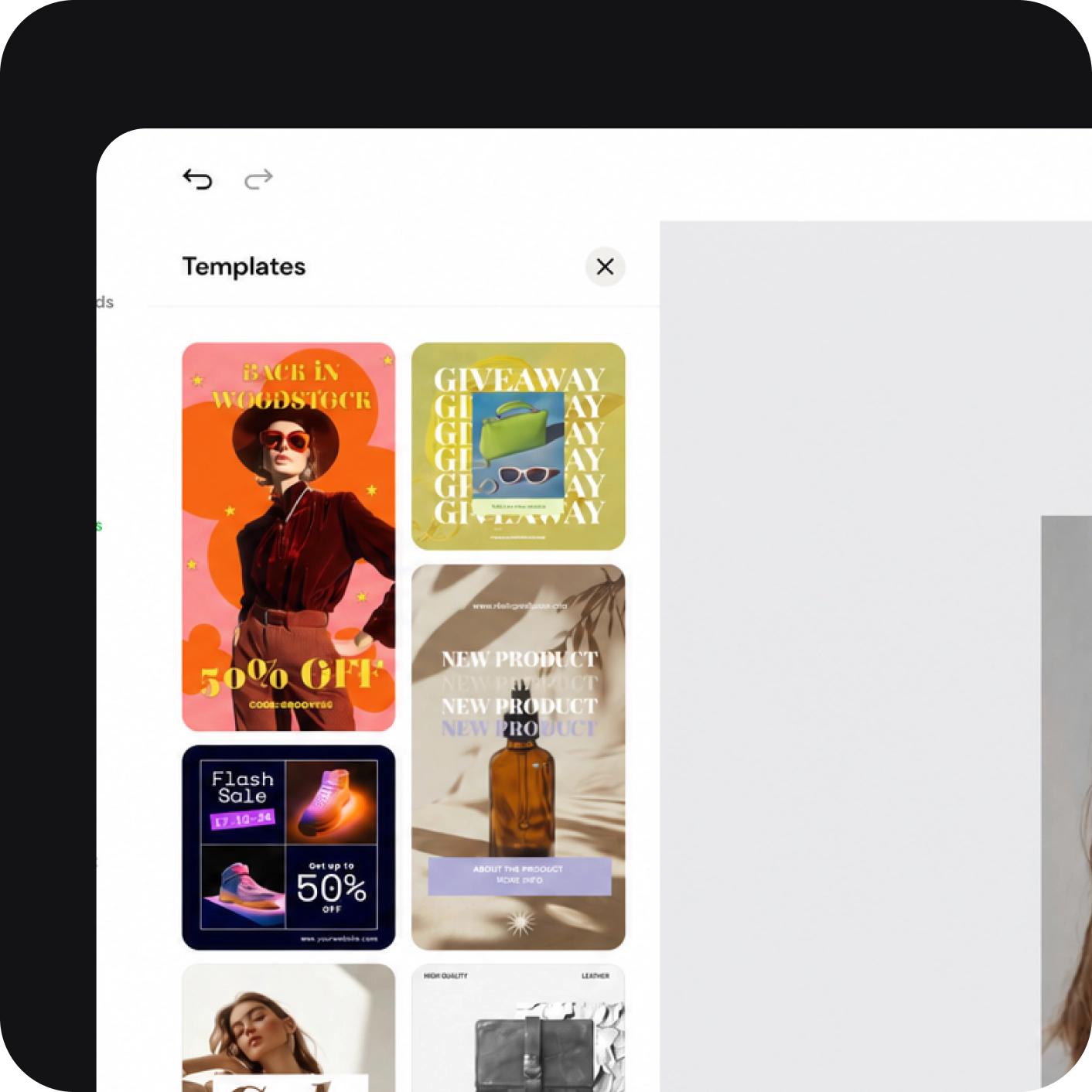
Create captivating designs with Magic Media™
With Magic Media’s Text to Image, you can start with a text prompt and generate an image that fits your design. Customize your image with various styles, ratios, and all the photo editing tools available in Creona.
FAQ
How are AI-generated images made?

To create AI-generated images, the machine learning model scans millions of images across the internet along with the text associated with them. The algorithms spot trends in the images and text and eventually begin to guess which image and text fit together. Once the model can predict what an image should look like from a given text, it creates entirely new images for you to choose from.
What’s the best AI image generator?
Why use an AI image generator?
Can I use AI Image Generators for personal and/or commercial projects?
Can I use a reference image when generating images?
Do I need to create an account?
Revolutionizing visual creation with our all-in-one design platform featuring AI-powered photo editing, background removal, template customization, and image generation tools. Trusted by professionals and beginners alike for stunning, shareable content in minutes.
Company
© 2026 SPLITLY INC. 302 E. Carson Ave, 10th floor, Las Vegas, Nevada, 89101, USA
AI Image Generator
Try the ultimate online AI Image Generator. Access the most advanced AI models and create unique images in a few seconds with just a prompt

Drop or paste images here
SVG, PNG, JPG or GIF
Private mode
Creona.com is available as an auto-renewing subscription service.
1 / 13
Epic World of Dune
Style: Filmic
Prompt:
Filmic photorealistic desert scene. A lone warrior stands on windswept dunes, seen from behind, wearing flowing robes torn by a sandstorm. He grips a blade at his side, unmoving and resolute. Behind him, a colossal sandworm erupts vertically from the desert, its ringed body towering skyward in a cyclone of dust. Its vast open mouth lined with jagged fangs dwarfs the warrior. Sand fills the air, dramatic lighting, epic scale, cinematic tension frozen in one moment. High detail, sharp focus, mythic tone.
How Creona Works
Step 1
Enter your prompt
Type a detailed description of what you want to generate in the prompt field.
Step 2
Choose image style
Choose a model, specific style and aspect ratio to match the concept you’re going for.
Step 3
Get instant results
Your ultra-fast AI creations appear instantly with perfect character consistency.
All the photo editing features you need
Canva’s drag-and-drop design tools make it easy to create any design, fast!
Various art styles available
Render your AI-generated images in art styles like Neon, Watercolor, Filmic, Color Pencil, Retrowave, and more.
Magic Edit
Magic Edit lets you add to, replace, or edit your image with a short written prompt.
Enhance your images
Use Canva’s Photo Editor to fix your photo’s focus, lighting, and coloring with easy-to-use sliders.
Photo effects & filters
Choose from our selection of adjustable color filters and fun photo effects to remix your photo.
Add Text to Photo
Easily add text to your photo or image to tell a story. Font combinations, colors, and styles available.
Automatically translate your design
With Translate, quickly change the language of your existing design, with over 100 languages to choose from.
Explore our AI image generator app
Generate stunning AI images inspired by a reference image. Simply upload a style, and see it reimagined using aesthetics, objects, or textures from your favorite visuals.
Choose your image style
with Text to Image
Experimentation is a big part of creation. Test out different modes for your AI-generated images with Magic Media’s Text to Image, using our style options like Watercolor, Filmic, Neon, Color Pencil, and Retrowave.
Create captivating designs with Magic Media™
With Magic Media’s Text to Image, you can start with a text prompt and generate an image that fits your design. Customize your image with various styles, ratios, and all the photo editing tools available in Creona.
FAQ
How are AI-generated images made?
To create AI-generated images, the machine learning model scans millions of images across the internet along with the text associated with them. The algorithms spot trends in the images and text and eventually begin to guess which image and text fit together. Once the model can predict what an image should look like from a given text, it creates entirely new images for you to choose from.
What’s the best AI image generator?
Why use an AI image generator?
Can I use AI Image Generators for personal and/or commercial projects?
Can I use a reference image when generating images?
Do I need to create an account?
Revolutionizing visual creation with our all-in-one design platform featuring AI-powered photo editing, background removal, template customization, and image generation tools. Trusted by professionals and beginners alike for stunning, shareable content in minutes.
Company
© 2026 SPLITLY INC. 302 E. Carson Ave, 10th floor, Las Vegas, Nevada, 89101, USA